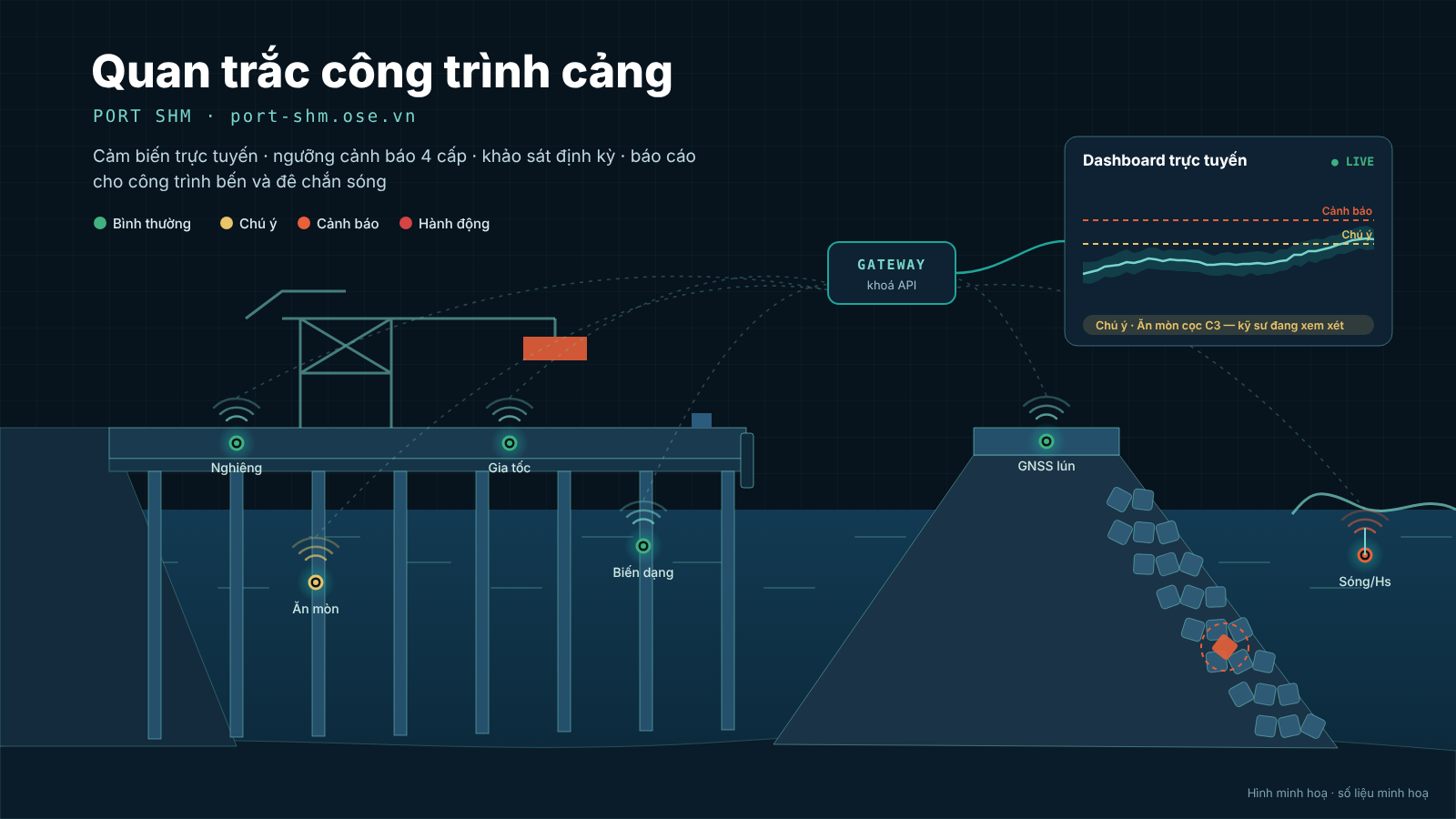
Introducing Port SHM: online structural health monitoring for berths and breakwaters
Port SHM brings sensor data, wave/wind/water-level data and periodic surveys of berths and breakwaters into one web app: live dashboard, approved thresholds, four alert levels, engineer recommendations, TCVN 13330 condition grades and automatic reports.
Nguyen Minh Quy··5 min read
A berth or a breakwater is usually inspected on a cycle: every few months or years, engineers go on site, measure cracks and corrosion, count armour units and write a report. Between inspections the structure keeps carrying operating loads, berthing impacts, storm waves, scour and corrosion, yet almost nobody knows how it is changing. By the time damage is found, repairs are expensive and operations may have to be restricted.
Port Structural Health Monitoring (Port SHM) closes that gap. It is a web application that lets owners, operators and consultants monitor the structural health of berths and breakwaters online. It brings sensor data and periodic survey results together, detects anomalies against approved thresholds and turns them into recommendations that an engineer is accountable for.
What problem does it solve?
Know early, not late: tilt, strain, settlement, corrosion and vibration are recorded continuously, so a worsening trend shows up while it is still small.
One place for all data: sensor readings, wave/wind/water-level data and field survey results live in one structure record instead of scattered spreadsheets.
Alerts with a basis: every threshold is approved with a reference to a standard or design document, and every alert is reviewed, given a recommendation and closed with a reason.
Reports without manual work: periodic, monthly and post-storm reports are generated from the monitored data itself.
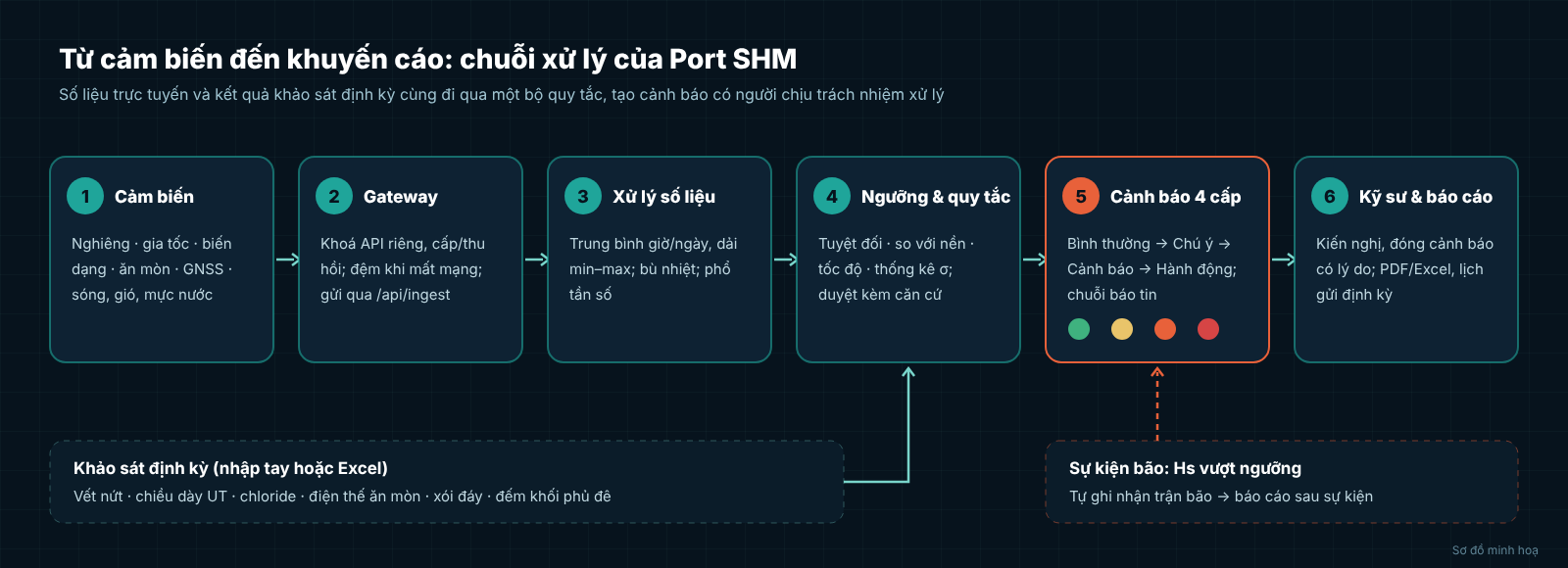
Port SHM processing chain: sensors, gateway, data processing, thresholds and rules, 4-level alerts, engineers and reports
Main features
1. Port overview and structure records
Each port contains several berth and breakwater assets. The overview shows at a glance which ones are normal and which have open alerts. The app suggests the structure class per TCVN 13330, while the condition grade (A–D for structures, a–d for members) is confirmed by an engineer, so the assessment always has a person signing for it rather than relying only on an algorithm.
2. Sensors, devices and gateways
Devices are entered one by one or bulk-imported from Excel: sensor type, location, member, expected reporting interval. Field devices send data through gateways, each with its own API key that can be issued or revoked at any time. If a sensor stays silent for too long compared with its expected interval, the app flags signal loss, so "no alert" is never confused with "no data".
A phone sensor test page is included: it uses the phone's accelerometer and tilt sensor to send test readings, with an offline buffer. This lets you check the whole data path before real devices are installed.
3. Live dashboard
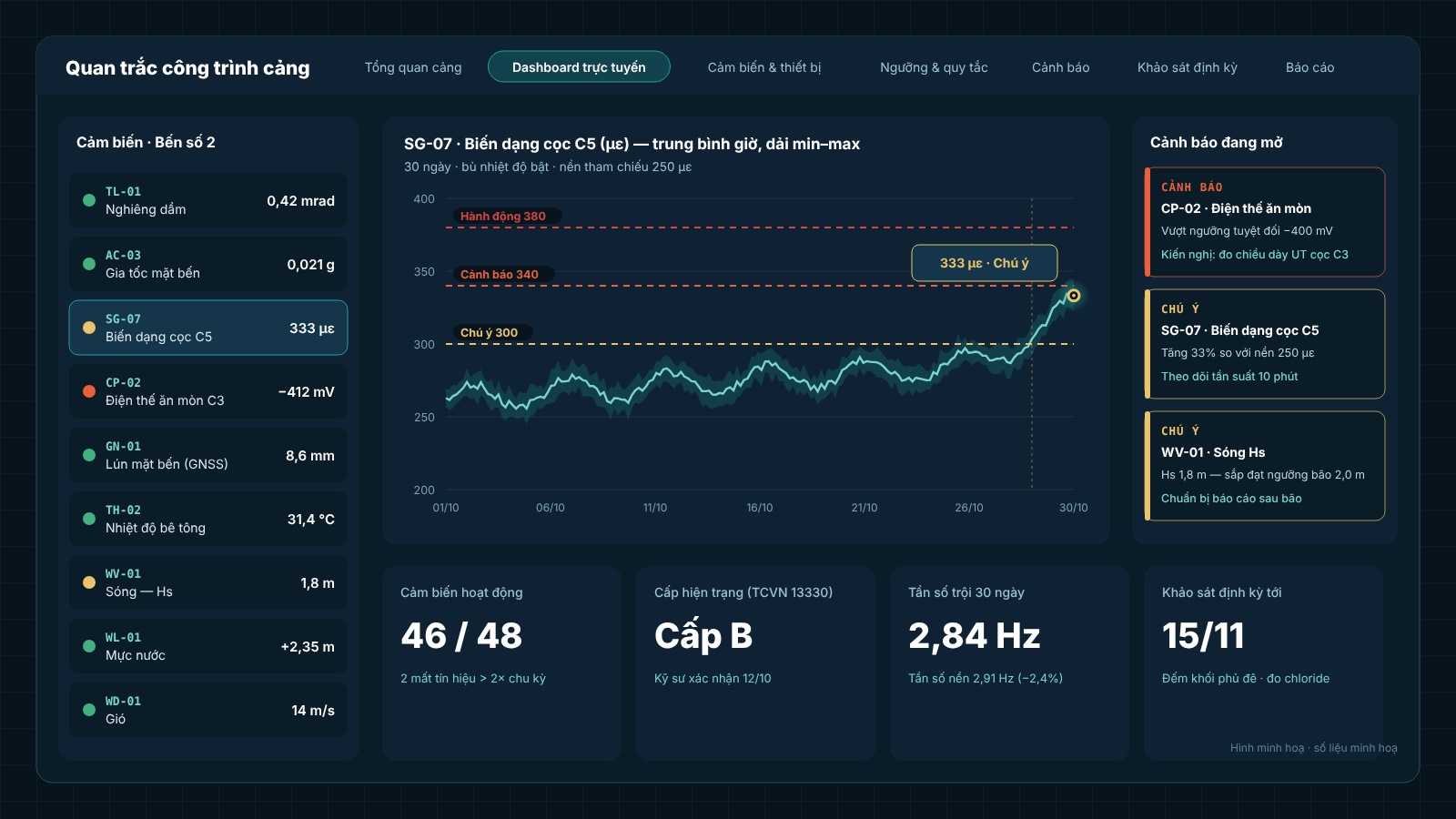
Readings are aggregated into hourly and daily averages with a min–max band, so you see the long-term trend without missing short peaks. Watch, Alert and Action threshold lines are drawn on the chart. For accelerometers the app stores raw vibration segments and computes the frequency spectrum. Comparing the dominant frequency with the baseline frequency is an early indicator that structural stiffness is changing.
Live dashboard screen: sensor list, strain chart with min–max band and three threshold levels, open alerts (illustrative data)
4. Thresholds and alert rules
Each channel can have several rule types:
Rule type
What it detects
Absolute
Value above a fixed limit (e.g. corrosion potential, allowable tilt)
Relative to baseline
Change from a baseline measured in stable conditions
Rate
Change that is too fast over a time window
Statistical σ
Value abnormally far from the recent distribution
Temperature compensation prevents day–night thermal expansion from triggering false alarms. New thresholds must be approved with a reference (standard, design documents or assessment results) before they take effect.
5. Four alert levels and recommendations
Every alert is classified as Normal → Watch → Alert → Action and follows a configured notification chain, so the right people are informed at the right time. Engineers record recommendations (for example ultrasonic thickness measurement for a pile with abnormal corrosion potential) and can close an alert only with a closing reason. The full history is kept for later structural assessments.
6. Periodic surveys
What sensors cannot measure still needs inspection, and the results go into the same system: cracks, remaining thickness by ultrasonic testing (UT), chloride content, corrosion potential, scour and seabed depth in front of the berth, and for breakwaters counts of displaced or broken armour units. Survey results run through the same rules as sensor data, so a crack that widens quickly also raises an alert.
7. Waves, wind, water level and storm events
Wave, wind and water-level stations are monitored alongside the structures. When significant wave height Hs exceeds the storm threshold, the app records a storm event automatically. From there you can produce a post-event report, compare the structure before and after the storm and plan breakwater inspections by storm scenario.
8. Reports, roles and audit log
Periodic PDF reports, monthly reports, automatic weekly or monthly delivery, Excel export of the data set.
Four roles: Administrator, Engineer, Operator, Viewer. Operators follow the status; only engineers approve thresholds and close alerts.
An audit log records who changed a threshold, issued a gateway key or confirmed a condition grade.
Who is it for?
Port authorities and terminal operators: keep berths and breakwaters safe in operation, especially older structures or berths taking larger ships.
Owners and project management units: monitoring during construction, handover and the warranty period.
Inspection and safety-assessment consultants: continuous data as evidence instead of a few isolated measurements.
Try it
Open port-shm.ose.vn to explore a sample port with berth and breakwater assets. You can test the data path right away with the phone sensor test page. Related software is listed in the OSE software catalogue.
Do you manage a berth or breakwater and want to set up monitoring with real devices? Contact quynm@portlogistics.vn or +84 913 567 101 for advice on sensor layout and threshold configuration.
Images in this article are illustrations; chart values are not monitoring results from a specific structure.
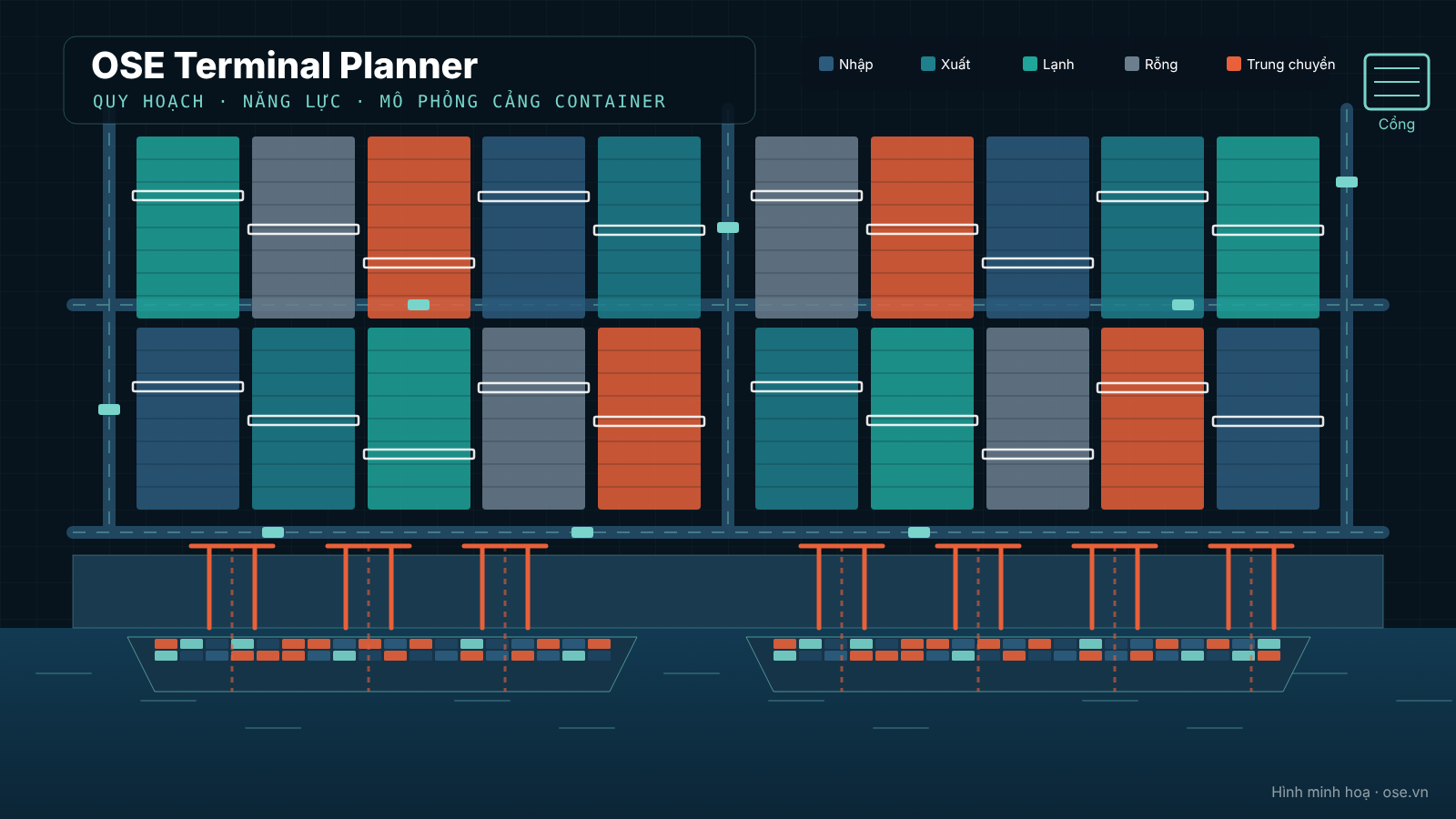
OSE Terminal Planner puts the whole container-terminal planning workflow into one web app: layout drawing or AutoCAD import, Excel input templates, subsystem capacity, yard planning, discrete-event simulation, 3D view and scenario comparison.